
 By
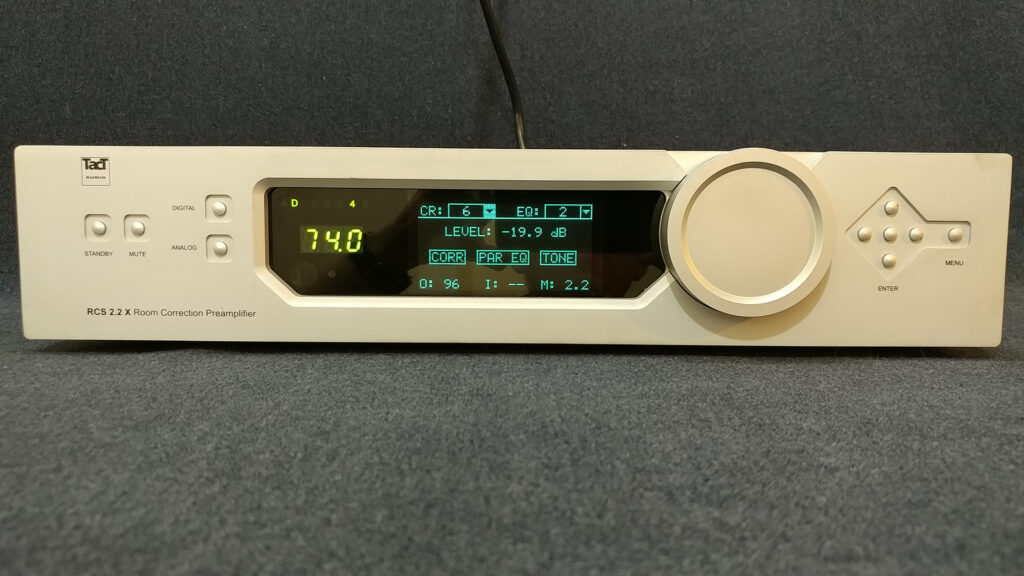
When I started using digital room correction (DRC) 21 years ago, I’d already installed physical acoustic treatments, yet the remaining bass boominess in my system at the time irritated me. What finally cleared it up was a DRC preamp from the now-defunct TacT Audio, where the estimable Peter Lyngdorf was a partner. The TacT 2.2X wasn’t perfect, but it did far more good than harm, and I’ve moved from one DRC preamp to another: Classé CP-800, Anthem STR, and now NAD M66.
Over the years, the audiophile attitude towards Digital Room Correction has changed. Among audio friends, both in person and online, I find DRC a frequent topic of interest – and that’s an excellent development. After all, why not try everything possible (at least, everything affordable) to get better sound, whether that means upgrading equipment, changing or adding formats, installing room treatments, using DRC, or even getting our ears cleaned by a professional?
This growing interest reflects the improving balance between cost and benefits. Over the past decade, the cost of DRC has come down considerably, with even some lower- to mid-priced gear, including streamers from NAD, WiiM, and Eversolo, offering it. That’s great news, especially since young people’s incomes don’t seem to be improving, and using DRC is a lot cheaper than building a professionally-designed listening room. Meanwhile, as digital processing in general continues to advance, DRC systems at a given price point get better with each iteration.
And the benefits? Every audiophile can appreciate smoother bass response, seamlessly integrated subwoofers, and help taming overly aggressive loudspeakers in bright rooms. The odds are good that DRC can help you get better sound. My goal here is to give you the background you need to decide whether it’s worth trying and which products might be right for you. Let’s start by going over the jargon that comes along with the topic.
An Audiophile’s Glossary of Digital Room Correction
Here are many of the terms you’ll hear in DRC discussions. Feel free to skip this section and refer back as needed.
- ADC: Analog-to-digital conversion, needed for analog signals to be processed by DRC, in that the work is done in the digital domain and some audio formats are analog, such as vinyl from audiophile turntables.
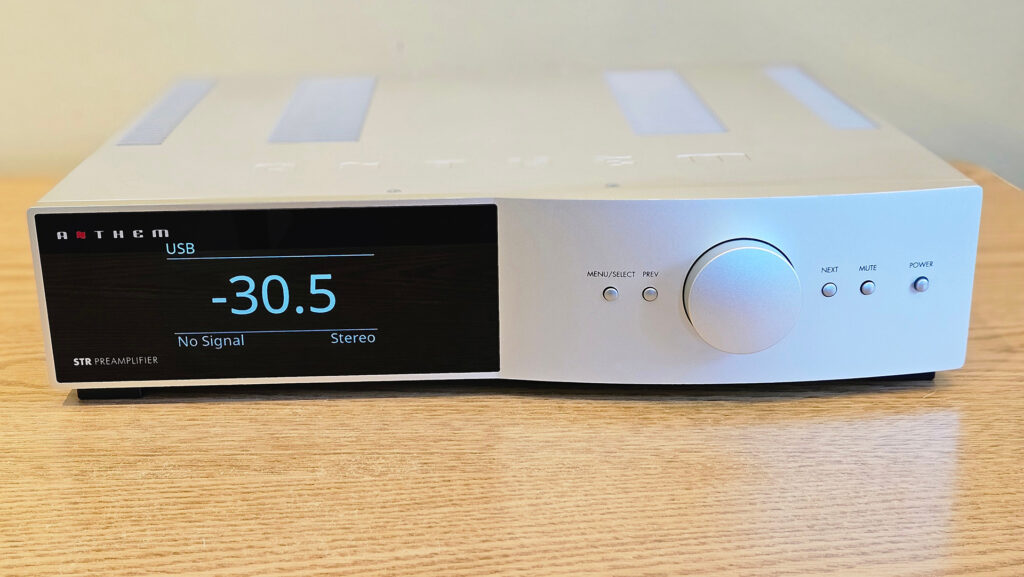
- ARC: Anthem Room Correction, a proprietary Digital Room Correction program developed by Anthem Electronics for their hardware and some other products of the PML Group (owner of Anthem, Paradigm, MartinLogan, and Golden Ear).
- Bass Management: This includes crossovers (usually digital) to send low frequencies to subwoofers and higher frequencies to main speakers. It also may include volume and phase matching between mains and subs.
- DAC: Digital-to-analog conversion, needed in any system that plays digital audio. A system’s DAC may be found in a CD player, streamer, integrated amp, or as a single-purpose component.
- DL: Dirac Live, a room-correction system developed by Swedish firm Dirac Research and licensed to hardware makers and users.
- DL-ART: Dirac Live Active Room Treatment, the most advanced bass add-on to DL. In DL-ART, speakers are used to fill low-frequency nulls in other speakers’ responses and to actively suppress room resonances.
- DL-BC: Dirac Live Bass Control, a bass add-on to DL that (like DL-ART) can optimize multiple subwoofers in level and phase. It’s less advanced, but simpler to use than DL-ART, and it’s available for more processors.
- DRC: Digital room correction, also digital room compensation.
- DSP: Digital signal processing, an umbrella term including any audio changes made in the digital domain.
- Main Listening Position (MLP), the sweet spot where DSP does its job best.
- PEQ: Parametric Equalization. Equalization (e.g., tone control) with user control of center frequency, gain (magnitude of change), and Q (width of change). PEQ is easiest to implement digitally.
- Processor: an audio component with DSP capability. May be a specialized stereo preamp, an AV processor or receiver, or a free-standing component.
- REW: Room EQ Wizard, a free and flexible measurement program that runs on Windows, Mac, and Linux.
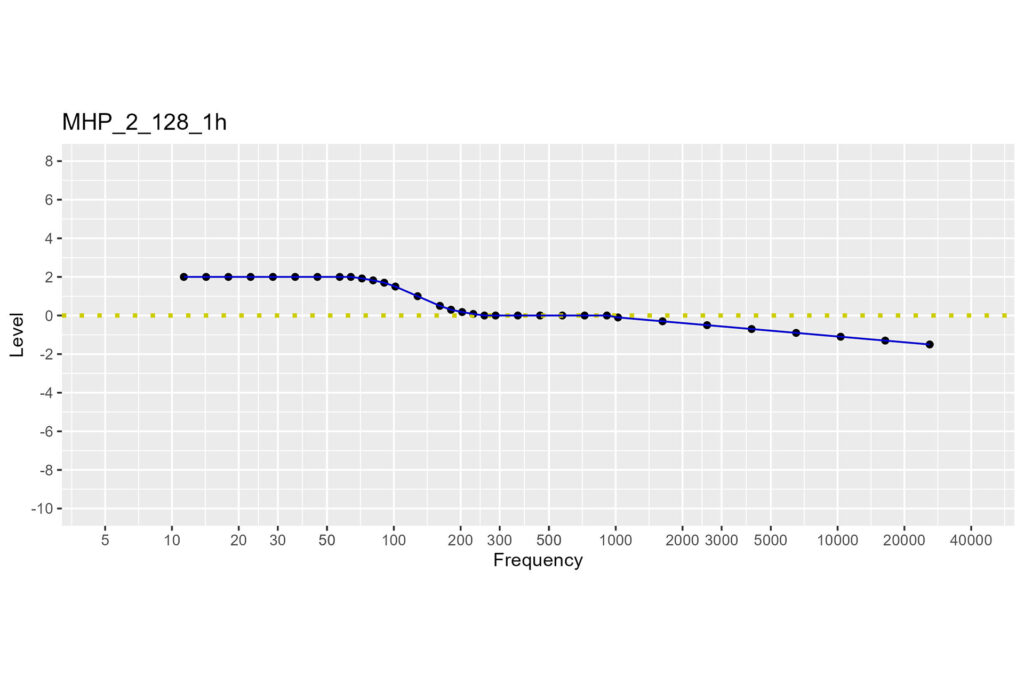
- Target Curve: The desired frequency response that DRC will attempt to match. A good-sounding target curve typically includes a boost in the bass and often a cut in the treble. A flat curve tends to sound anemic or harsh.
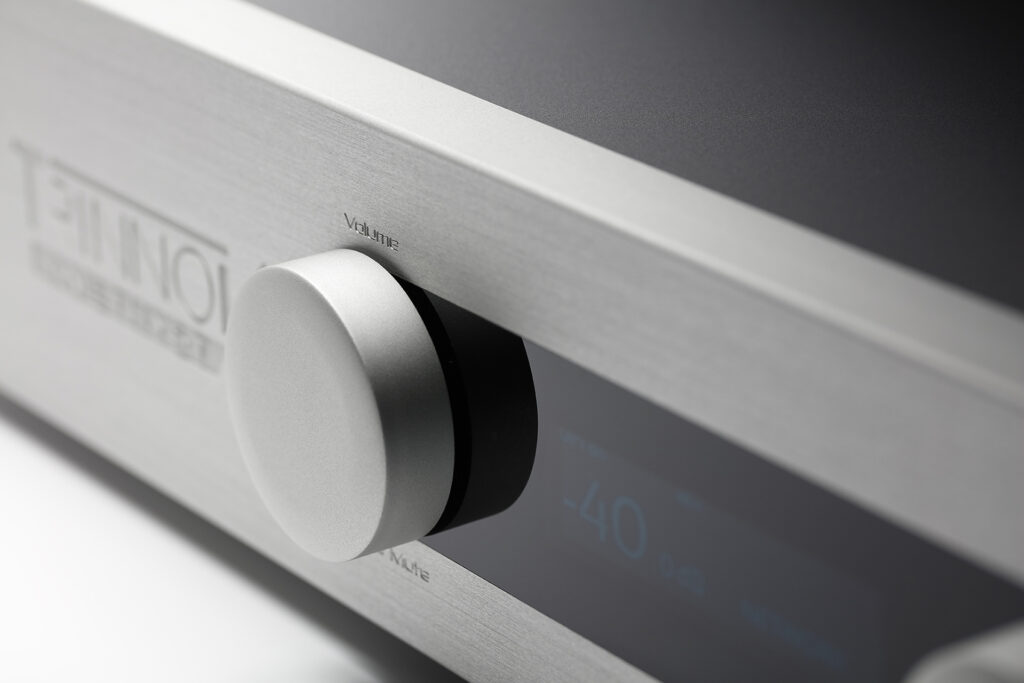
- Trinnov Optimizer: A DRC system developed by French company Trinnov and sold with their equipment.
- Waveforming: An add-on to Trinnov software that addresses room modes more fully. Similar in some ways to DL-ART.
Now, let’s get to basics.
Digital Room Correction Defined and Explained
Digital Room Correction is the use of DSP to reduce room-induced irregularities in the frequency and phase response you hear at your listening chair. This can include issues from the irregular shape of your room (say, an open doorway on just one side). Additionally, DRC can smooth response irregularities in speakers. In most cases, DRC optionally includes other DSP, such as bass management for subwoofers, digital tone controls, and user-determined EQ profiles (often called voicing). Typically, these all are done by the same DSP chip in the processor.
In my experience, one of the things DRC does best is improve integration of subwoofers. Besides smoothing subs’ frequency response and matching their volume to the main speakers, the better DRC products adjust phase relationships among subs and main speakers to reduce or eliminate bass cancellations. (If those phase relationships are wrong, you’ll have big dips in bass response, and you may suspect something’s wrong with your subs.) The most advanced systems (such as Trinnov Waveforming and Dirac Live ART) can actively suppress excess room reverberation. When a DRC system does a great job of bass management, the result can be the smoothest, tightest bass the system is capable of providing.
A typical DRC system is divided into two parts: filter generation and convolution. Filter generation includes taking measurements and analyzing them to generate mathematical transformations (filters) that will equalize the audio as it plays. Filter generation is computationally intensive, so it’s typically done on a local or remote computer. It’s needed only once for a given system and target curve. In Convolution, filters and signal are combined mathematically (convolved) to generate an equalized audio stream. Convolution, which is less computationally intensive, is accomplished in real time during playback, typically within a DSP processor such as a streamer or preamp.
By definition, DRC modifies digital signals, so if you want to use DRC on analog sources such as tape or LP, their output must be converted to digital. Ideally, digital signals are kept digital for processing, then converted to analog by the system’s DAC. In other words, it’s better not to convert a digital signal to analog, back to digital for DRC, and then through another DAC for playback, because the extra conversions can reduce transparency.

Is Physical Room Treatment Better than Digital Room Correction?
Physical room treatment, most commonly including bass traps, absorption panels, and diffusion devices, can do wonders for a room’s acoustics, especially when the room has less-than-ideal size or shape or has many uncovered hard, flat surfaces. The main limitation of physical room treatment is that it’s rarely possible to effectively address problems much below 100 Hz. Fortunately, DRC can. If your budget, available space, and family allow for physical room treatment, start there and add DRC; the two complement each other well.

Is “Audiophile Sound” Better Without Digital Room Correction?
An outdated audiophile belief holds that DRC makes sound worse. Certainly, a badly designed or improperly configured DRC system can do that, but this is not usually the case. Why does this belief persist? I can think of many reasons, most of which come down to individual preferences. Some audiophiles place greater importance on other aspects of the sound than on smoother bass response. For them, DRC may not be worth the trouble.
In other cases, an audiophile may have grown to enjoy certain sound colorations and find that when DRC reduces them, the result sounds wrong. An audiophile also might try a powerful DRC program without fully understanding how to use it and get poor results. As with learning anything new, results tend to improve with experience.
Finally, an audiophile who has a favorite DAC may prefer an all-digital DRC component, such as one of the Trinnov processors or a Bluesound Node Icon (read Greg Handy’s review), which will allow them to use DRC with their existing DAC. The catch is that systems with subwoofers will need additional DAC channels to drive them.
A lucky few have rooms and systems that don’t need help, and they might prefer to avoid the extra digital equipment and setup that DRC entails. Most of us, though, listen in rooms designed for general living, with poor acoustics, and have speakers that could use fine-tuning. In most systems, the benefits of well-set up DRC far outweigh any sonic costs. Today’s DRC is entirely compatible with an audiophile approach to sonic excellence.

Can Equalization in Subwoofers Replace Room Correction?
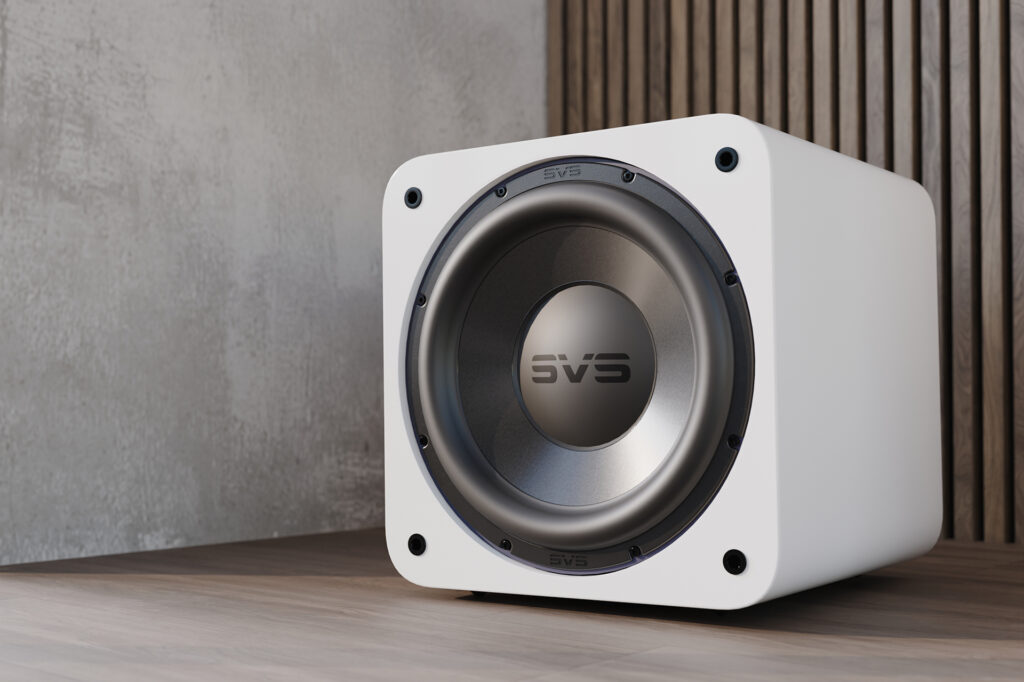
This is a great question, as many recent subwoofers include their own parametric equalization, and some models – such as the SVS SB–3000 Revolution I recently reviewed – also offer automated DRC. The limitation is that subs typically handle frequencies below about 80 Hz, depending on crossover settings, while room acoustics can strongly affect bass response up to about 600 Hz or higher (an octave or more above the typical Schroeder frequency). Correcting only the subwoofer range, therefore, won’t address all room effects. In particular, cancellations due to the main speakers’ floor reflections tend to occur around 100-300 Hz, well beyond the subwoofers’ correction range.
Another limitation is that DRC in subwoofers cannot adjust the phase and level of the subwoofers relative to the main speakers, since subwoofers generally have no way to send calibration signals to the main speakers. This important step requires a full-range DRC system that calibrates the main speakers and subwoofers together.
If your subwoofers have built-in DRC, running it first to reduce large bass peaks, then applying full-range DRC, can often produce the best results. That is the procedure I’ve seen recommended by manufacturers, and it’s the one I use.
Can Room Correction be Done in the Analog Domain?
Using a 1/3-octave (31-band) analog graphic equalizer, a measurement microphone, and REW or other measurement program, a technically-inclined user can come fairly close to the results of a basic DRC program without digitizing an analog signal. Here are the main caveats:
- It’s time-consuming. Manual EQ typically takes far more time than a good DRC program. Think hours, rather than minutes.
- Transparency can be an issue. Of the pro-grade graphic equalizers I’ve tried, none was as transparent as a modern DRC program.
- Subwoofer integration is more difficult. Unlike most DRC programs, graphic equalizers offer no special provisions for integrating subwoofers, which are one of the best tools for addressing room nulls.
So yes, it’s possible to make meaningful improvements manually. I did it for years, but eventually, I was happy to pitch that method for the speed and added capabilities of DRC.
It’s your system, so it’s your choice. Have fun!
What Can a Room Correction Program NOT Accomplish?
In the bass, no DRC program can fully correct deep room nulls that appear in all speakers. These nulls are caused by physics, and trying to fix them with EQ is ineffective and may even overdrive your equipment. The best ways to address room nulls are to add bass traps, reposition the speakers and/or listening position, and add one or more subwoofers positioned to avoid nulls at the same frequencies as those affecting the main speakers.
A specific type of null is speaker-boundary interference response (SBIR), which occurs when sound reflected from a wall cancels the direct sound from a woofer, typically in the 50-200 Hz range. The only complete cure for SBIR is to mount the speakers in the front wall, though placing them very close to it can help, while keeping them far from other walls. This arrangement is impractical for most audiophiles, though common in pro audio. Moving the speakers away from all walls can help, but most of us don’t have the room to move them far enough (more than a third of the way into the room is one common recommendation). My preferred workaround is to make the distance from the woofers to the side walls different from their distances to the front wall, ceiling, and floor. This spreads out SBIR cancellations and reduces their magnitude, giving DRC a better chance of compensating for them. For a more detailed explanation, I recommend this page on the Genelec website.
A typical DRC system delivers the smoothest response at the main listening position (MLP). Some systems can optimize for a broader listening area, but this usually comes at the expense of less focused correction at the MLP. Thus, while DRC can reduce bass peaks and the resulting one-note bass, it typically cannot deliver equally smooth bass throughout the room. However, modern systems have improved, and those that support multiple subwoofers in combination (DL-BC, DL-ART, Trinnov Waveforming) can improve consistency of sound across all listening positions.
Finally, DRC cannot fully correct the acoustic problems of an overly reflective room. Soft furnishings, strategically placed rugs, and absorptive or diffusive wall treatments can help a DRC system – and your audio setup – reach its full potential.
Popular Software for Digital Room Correction
Here, I’ll comment briefly on some well-known DRC systems and the hardware they are usable with. I have omitted the most complex options, such as Acourate and Audiolense. Systems I’ve used myself are marked with an asterisk (*).
Lyngdorf RoomPerfect *
RoomPerfect is arguably the easiest major room correction program to use. It doesn’t even use a computer for filter generation, as all computation is done by the Lyngdorf component. (I recently reviewed the Lyngdorf TDAI-2210 integrated amplifier with RoomPerfect.) After connecting the supplied microphone, you simply follow prompts on the touch screen or tablet. I found results unfailingly musical, with big improvements in bass smoothness. This is a great choice for the user who doesn’t want to get involved with a lot of technical details yet still wants a topnotch DRC program. As a bonus, the voicings available in Lyngdorf products allow you to fine-tune your results, either for all recordings or for the specific recording you’re listening to now. RoomPerfect is supplied with, and works only with, Lyngdorf products.
Anthem Room Correction *
Among DRC systems, Anthem Room Correction (ARC) is a model of outstanding user-focused design. Some things I like are its ability to save results in multiple formats, which keeps a clear record of what you did and allows you to change it incrementally; the flexible ways that levels can be set; and the Quick Measure feature, a valuable aid in speaker and subwoofer positioning. ARC is adjusted through selectors in the program, which makes systematic changes and repeatability easy. Sonics are excellent. My main reservation is that, for me, ARC did a better job of integrating a single subwoofer than multiple subs. ARC is available for Anthem products and some others of the PML Group. I recommend using the software’s Professional Mode, far more capable than its Auto Mode.
Room EQ Wizard (REW) *
Room EQ Wizard (learn more here) is not a complete DRC system, but is instead a free measurement program that can generate PEQ filters compatible with most software or hardware that implements parametric equalization, such as Roon and many others. A measurement microphone is needed; I have used the miniDSP UMIK-1 and UMIK-2. A user will find that REW is well-equipped with features and attendant options, some of which the average user won’t understand. This results in a considerable learning curve, given that REW documentation and help screens are not at the tutorial level. Once learned, most audiophiles will find that REW is a valued tool. Those who own a Dutch & Dutch active loudspeaker (such as the Dutch & Dutch 8c – read my review) will find an extra level of integration that makes use considerably easier. I am grateful to REW’s author for developing this powerful program and making it freely available to the audiophile community.
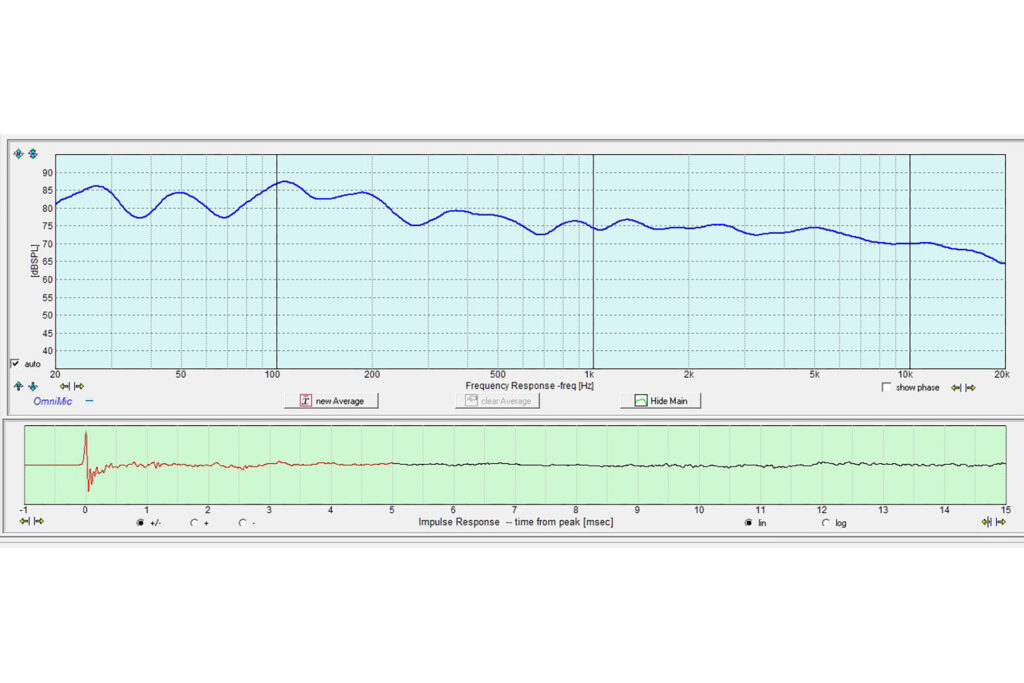
Dayton OmniMic *
This USB calibrated measurement microphone is sold with dedicated software (Windows only) with fewer features than REW. It meets the average audiophile’s needs (including PEQ filter generation) with good ease of use.
Audyssey
Audyssey is the default DRC program supplied with Denon and Marantz processors, as well as by other manufacturers. I have not used it. The program, known for an excellent interface and good results, supports several levels of correction through add-ons, including its unique Low Frequency Containment module, which aims to reduce bass transfer through walls, and its Dynamic EQ, which adjusts tonal balance with volume, like the loudness control on some vintage preamplifiers. Some processors that come with Audyssey also support Dirac Live (and its add-ons), which can be licensed at additional cost by the user.
Dirac Live *
Like Audyssey, Dirac Live is a third-party program available for a variety of processors, in Dirac’s case models from Monoprice, Storm Audio, NAD, miniDSP, Rotel, and others. Manufacturers typically supply a license for basic Dirac up to 500 Hz, with full-range licenses and add-ons available at extra cost, though some higher-end processors include full licenses. Ease of use has been improved in recent years with Dirac’s auto target curve, which is automatically generated based on the measurements of your speakers and room. For those using subwoofers, DL Bass Control and DL-ART can provide better results, as they consider phase relationships more completely. Dirac Live is not the easiest DRC program to use, but it is one of the more flexible ones. Used with DL-BC, it’s given me some of the best results in the bass I’ve been able to obtain.
Trinnov Optimizer
Trinnov’s Optimizer is reputed to be one of the very best DRC programs, though a bit technical to set up. It’s available only for Trinnov’s own processors, which tend to be costly. I hoped to review one for Future Audiophile, but we have so far been unable to arrange that. Still, Trinnov is high on the list of manufacturers with products I’d like to try, especially their advanced Waveforming algorithm, which Trinnov claims “effectively reduces the low-frequency problems that affect listening rooms: long reverberation times, large position-to-position variation, and a loss of clarity and dynamic contrast in the bass.” This seems to compete with DL-ART’s add-on in addressing reverberation time, an important issue in room acoustics.
WiiM RoomFit and Eversolo Evotune PRO Room Correction
It’s a positive development in the audiophile world that two relatively new manufacturers – WiiM and Eversolo, neither at top price points – include DRC in their streamers. Not having tried either program, I can’t say a lot about them, other than that if you own a WiiM or Eversolo component, I’d love to hear about your experience with their DRC in the comments. It’s not unusual to find bugs in any relatively new software package, or perhaps it’ll go smoothly; either way, it would be a shame to own the product and never try the feature.
Can Audiophiles Set Up Room Correction by Themselves?
In general, audiophiles can absolutely set up DRC systems themselves. With the more complex systems, such as Dirac Live with ART or Trinnov Optimizer, users who are less technically inclined may want help from a dealer or the manufacturer. At the other end of the complexity spectrum, it’s hard to imagine any audiophile having trouble configuring Lyngdorf’s RoomPerfect successfully. Online help from fellow users for each DRC system can be found, and manufacturers typically offer some level of technical support.
Final Thoughts and Tips for Buyers of Digital Room Correction …
I’ve found digital room correction an excellent addition to my audio system, helping me get musical results in ornery listening rooms. Though DRC is not a panacea, it can smooth bass response noticeably in most systems. Especially when using subwoofers, you can achieve remarkably even bass reproduction. Some speaker irregularities at higher frequencies also can be reduced, and many users also report better imaging. Like any tool, DRC delivers better results as you learn to use it, so don’t hesitate to experiment.
I’ve used DRC systems that measure at a single point and others that measure at multiple points, and I’ve always preferred the results from the latter. Fortunately, most modern systems use multiple measurement points.
If you use subwoofers, adding more than one can improve both bass frequency at the MLP and consistency of bass across seating positions. For that, consider DRC programs, such as Dirac Live Bass Control (DL-BC), Dirac Live Active Room Treatment (DL-ART), or Trinnov Optimizer with Waveforming, all of which are designed to optimize multi-subwoofer systems. REW also offers a multi-subwoofer optimizer, though it requires more manual adjustments.
My final considered piece of advice is one I’ve given many times on FutureAudiophile.com: Try before you buy. If DRC is an important reason for choosing a particular processor, insist on a home trial of 30-45 days or longer before making the purchase final. Then spend plenty of time experimenting with DRC in your own system. It takes some effort, but if you’re like me, you’ll find the results well worth it.
Tell us about your feelings on DRC. Have you taken a journey into this world? We want to hear about your experiences. Share here in the comments and we will post ASAP.
See more FutureAudiophile in your Google results: add us as a preferred source.



