
 By
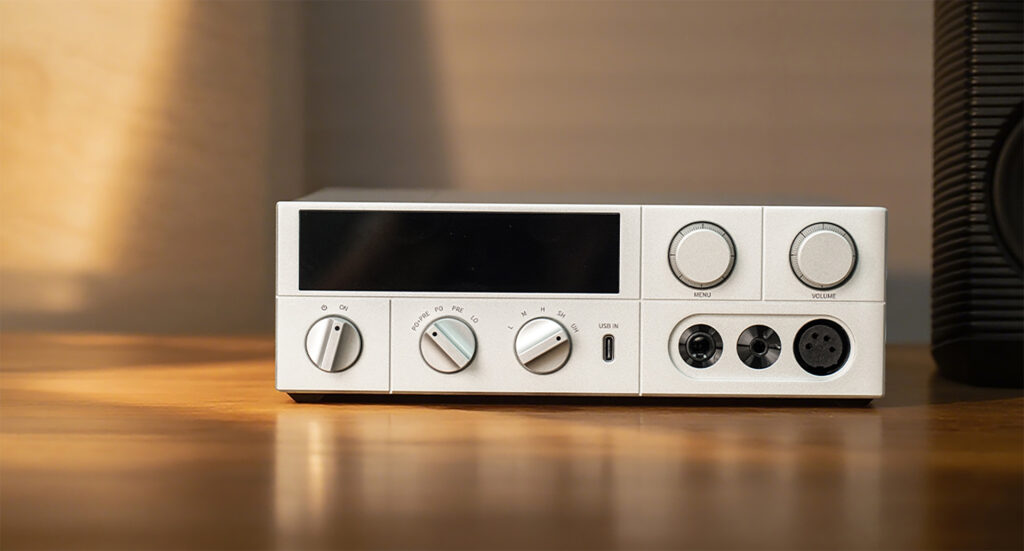
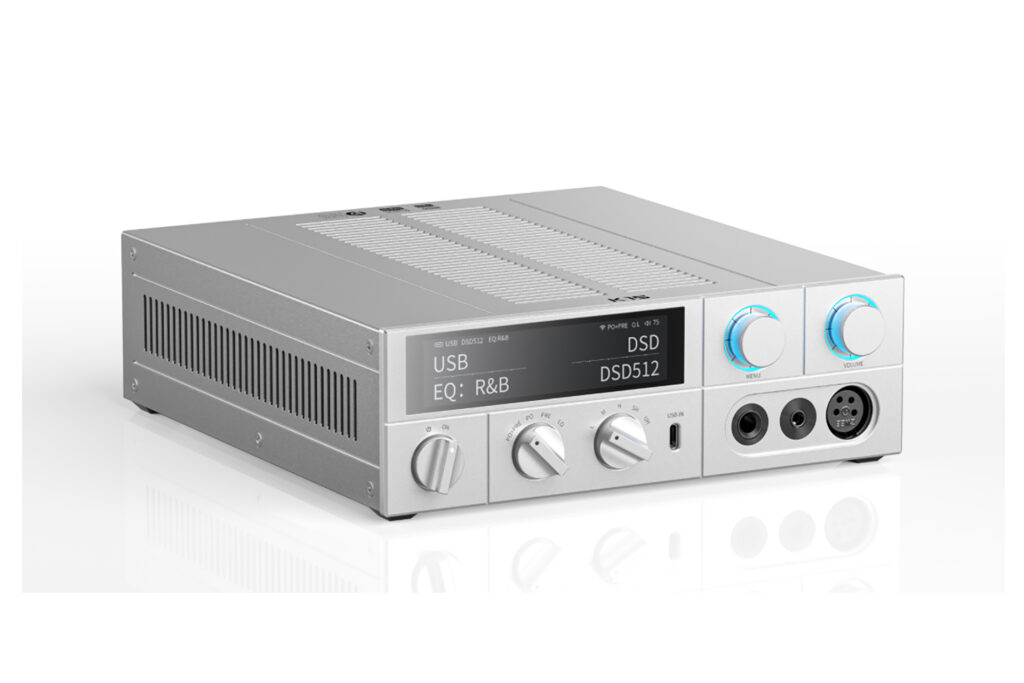
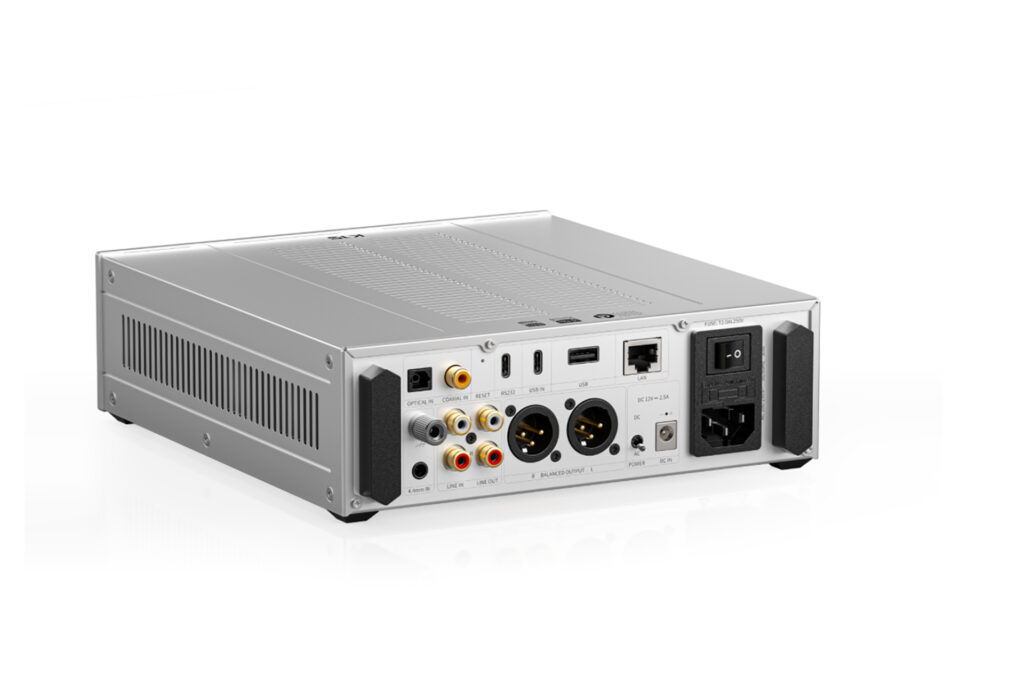
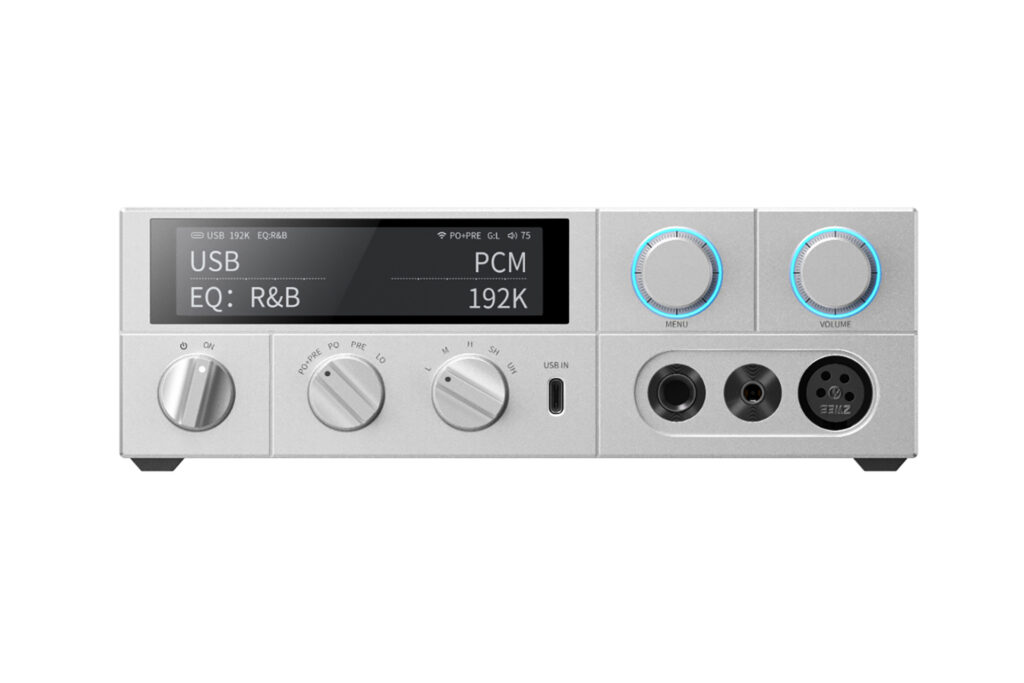
By My first thought when I learned that I was receiving the FiiO K15 desktop DAC and headphone amplifier was that the name was a mouthful, which was quickly followed by excitement, as FiiO is one of the Chi-Fi brands that is well-known to provide exceptional value to their customers and, with the K15 selling at just $549 and coming with a host of features, it seemed this unit was going to fit into that value-first mold. The K15 comes equipped with dual AKM AK4497S DAC chips, which feature what AKM calls their “upgraded VELVET SOUND” audio technology. From the perspective of amplification, the K15 can produce up to 3000 milliwatts into a balanced output. Lastly, when we look at the inputs, the unit features a digital section with optical, coaxial, and USB-C inputs that can be used with your laptop, and USB-A which can only be used for attaching a hard drive. On the analog side, there is a single set of RCA inputs. However, there are also both an RCA output and a balanced XLR output. The FiiO K15 Desktop DAC and headphone Aaplifier is Roon-ready (learn more about Roon from Brian Kahn here), is Apple Airplay-compatible, can handle MQA files, and uses Bluetooth 5.1, compatible with LDAC, aptX Adaptive, aptX HD, and AAC codecs.
What Makes the FiiO K15 Desktop DAC and Headphone Amplifier So Special?
- It’s Roon-Ready. If you’re someone who has Roon as part of your at-home ecosystem, having a headphone amplifier that is ready to use it out of the box is a great feature.
- The K15 is incredibly flexible. While the device is designed to be a headphone amplifier with a DAC, it also has all the inputs and outputs that would allow you to use it as a preamplifier in a pinch if you needed to, or just as a network streamer in a speaker-based system.
- FiiO provides you with filters galore! It isn’t uncommon for a headphone amplifier to have a few EQ filters, but the K15 has seven different filters aimed at the most popular genres of music. Not every audiophile loves EQ in their system, but for headphones, that can be another story and a little bit of fun to play with.
- PEQ settings allow you to customize the sound. FiiO allows users to use a PEQ for each of their digital inputs to adjust the sound of each input as you see fit.
- You get three headphone input options. No matter the input of your headphones, the K15 has you covered, as it supports XLR, 6.35 mm, and 4.4 mm balanced headphone outputs.
- The FiiO K15 smartly has USB-C input. This feels like a small thing, but when I was first getting interested in audiophile-grade gear, I was baffled at the industry’s lack of USB-C support. I haven’t had a laptop that has had USB-A inputs for almost a decade, so in that way, gear felt antiquated before I ever used it. The K15 having USB-C makes desktop use easy, but it also makes it accessible to new users, as they don’t need to go and buy any new cables, just plug and play!
- The touchscreen on the unit is effective. With many audiophile devices, the touchscreens are often not practical. However, FiiO has done a nice job with the implementation of the touchscreen on the K15. You can swipe through the menus to easily and quickly update settings as you wish, and there wasn’t a time where I found myself frustrated by the touchscreen or wondering why it was there in the first place, and that is saying something when you factor in that the screen is less than four inches in size.
Why Should You Care About the FiiO K15 Desktop DAC and Headphone Amplifier?
If you’re someone who is looking to upgrade your desktop listening experience without having to break the bank, then the FiiO K15 makes a strong value proposition to you. It is built for you to be able to upgrade your headphones, as it has enough power to meet some of the most power-hungry headphones and, at the same time, it is beginner-ready for all of the input options that your headphones might have.
Some Things You Might Not Like About the FiiO K15 Desktop DAC and Headphone Amplifier
• There are no USB-B inputs. While I love the USB-C access, many older/legacy audiophiles will not be happy about the lack of USB-B support, as they likely already have invested in quality cables with the USB-B end.
• FiiO doesn’t support any of the “connect” options from Tidal, Spotify or QoBuz. This is a bit of a minor item, but it seems like many devices are supporting these connect options from some of the most popular providers that make listening to music so easy.
Listening to the FiiO K15 Desktop DAC and Headphone Amplifier …
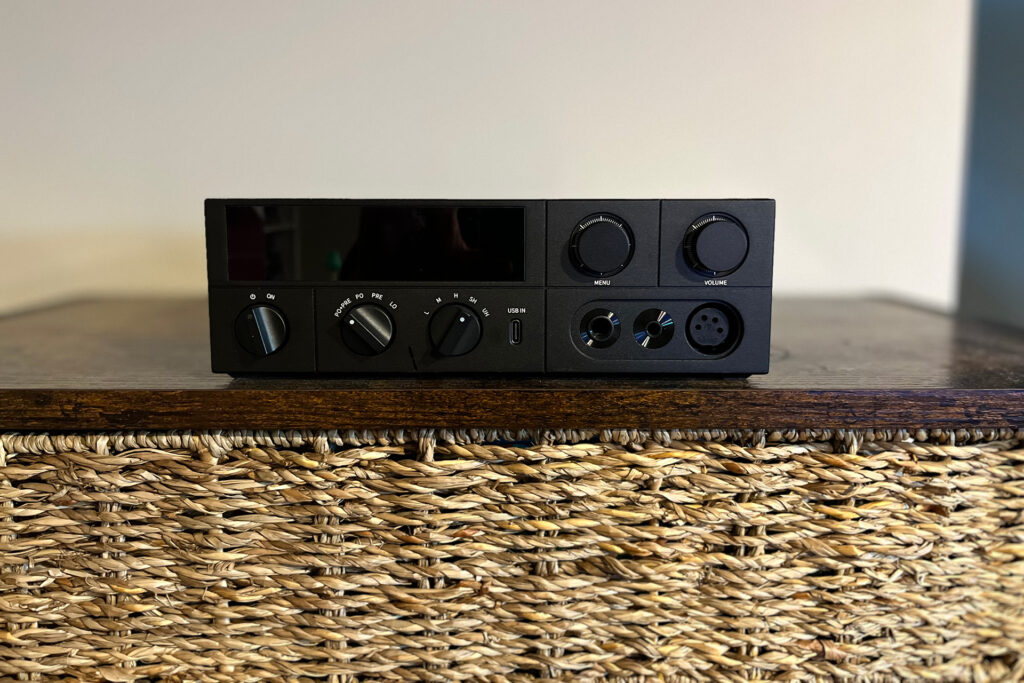
I tested the FiiO K15 Desktop DAC and headphone amplifier with my MacBook Pro as the primary audio source. Audio was streamed using QoBuz into the DACs, using a Wireworld Chroma 8 USB-C to USB-C cable. Additionally, I used the Meze Liric closed-back headphones (review pending), which are a 61-ohm impedance headphone, in all listening situations. As a form of comparison, I used the iFi Audio ZEN CAN 3 headphone amplifier (review pending) with the iFi Audio ZEN One Signature DAC.
When testing headphone amplifiers, one of the tracks I enjoy playing is “Refugee” (Qobuz 44.1 kHz) from Tom Petty and the Heartbreakers. This is the six-minute live version of a classic Tom Petty and the Heartbreakers track found on the 2009 album The Live Anthology. The Live Anthology is a cherry-picking of recordings of the band over a 30-year span. When listening to this track through the FiiO K15, the crowd noise was audible and sounded wide, which felt like the recording was taken right from the arena. It was easy to place the backing vocals on the chorus to both the left and the right, as well as the different instruments, through the headphones. Petty’s vocals also came through clearly, which is a noticeable upgrade from when I had the iFi ZEN Can 3 in the signal chain.
Another track that is great for testing out speakers is Radiohead’s “Packt Like Sardines In a Crushd Tin Box” from their studio album Amnesiac (QoBuz 44.1 kHz). The album acts like a B side to Radiohead’s Kid A album, which marked a seismic change in the band’s musical signature. This dense electronic track comes through very well. It is easy to pick up and place all the smaller details that are there, found through multiple listening sessions. The bass response was solid, although it felt like it lacked some punch.
The last track I used was “It Never Goes Away (Woman)” by Jazz at Lincoln Center Orchestra (Qobuz 44.1 kHz). This is a fantastic test track by Winton Marsalis and his band. The track is so intimate, from the female vocal that the K15 places firmly into the center to the soft playing of the bass on the left and the piano and the drums to the right. Additionally, the FiiO K15 allowed me to place the horn section to the left-center on the stage. The vocals sounded realistic and I didn’t detect any harshness, which at this price was really impressive.
Will the FiiO K15 Desktop DAC and Headphone Amplifier Hold Its Value?
The thing about products in this price range is that your investment is so low that you don’t have too much investment to lose. I know I say this a lot, but often the best thing to do with something in this price range is to find someone who might enjoy it and pass it along to them. You can certainly get some value back in terms of the joy you could bring to someone else, especially a student. You can likely get a little bit of your money back from selling it on eBay.com or something, but the component likely won’t owe you much of anything by the time you are ready for an upgrade.
What is the Competition for FiiO K15 Desktop DAC and Headphone Amplifier?
If you’re looking for a similarly-priced item that is made in the United States, the Schiit Jotunheim ($599) is a solid choice. Schiit gives you four choices of DAC or even include a phono stage, all of which will affect the price. If you choose their latest Mesh DAC, it is the same price as the K15. It comes with balanced analog inputs and outputs, and plenty of power to be able to handle most headphones.
Another option you can look at is the iFi Audio NEO iDSD 2 ($899 – buy at Crutchfield). This is a very competitive option, although it comes at a higher price. One of the things that might draw you to the Neo iDSD2 is the inclusion of USB-B input if you are someone who prefers that input to USB-C. It can also sit either horizontally or vertically to allow it to better fit into your space. One thing that it is missing, however, is a XLR output for your headphones. Like the FiiO K15, this unit can also be used as a preamp if you need that.
Lastly, if you’re looking for another Chi-Fi option, you might consider the Topping SX7 Pro+ ($568). This headphone amplifier and DAC use the ESS9038PRO chipset and, like the FiiO, it has headphone outputs for XLR, balanced 4.4 mm and 6.35 mm. One thing to note about the Topping is that, if you wish to use it wirelessly, you will have to rely on Bluetooth codecs, as it is not Roon-ready, nor does it support Apple Airplay or any of the other connection services. With that said, if you are planning to use wired connections, it does include an I2S input, which is a boon in this price category.
Final Thoughts on the FiiO K15 Desktop DAC and Headphone Amplifier …
Over the last several months, I have spent a considerable amount of time with different headphone amplifier setups, with each one having its own advantages and disadvantages. Where the FiiO K15 Desktop DAC and Headphone Amplifier really shone to me was in its overall value. You’re getting a headphone amplifier that you can grow with, given its ample power and plethora of inputs and outputs. For someone who is shopping in the $500-600 range, either for themselves or a loved one, I think you will struggle to find something better.




I noticed that both the K15 and K17 only support AirPlay 1, not AirPlay 2. I’m not sure whether this was a deliberate choice on Fiio’s part, and if so, for what reason? Costs, sound quality? Seems like an odd thing, given that AirPlay 2 is so ubiquitous these days.
Hi Paul. This is a great question, and the honest answer is that I don’t really know. I suspect, however, that AirPlay 1 is used because FiiO doesn’t have to pay to license it from Apple, where they would need to pay a licensing fee for AirPlay 2